

Para iPhone e iPadFor iPhone and iPad
NativAula
La app nativa para iPhone e iPad que funciona con cualquier campus Moodle que tenga activados los servicios móviles.
The native iPhone and iPad app that works with any Moodle campus that has mobile services turned on.
Todavía no está en la App Store. Cuando se pueda descargar, el enlace estará aquí. Si quieres entrar en la beta de TestFlight, apúntate en la lista de espera.
It isn’t on the App Store yet. When it can be downloaded, the link will live here. If you want to join the TestFlight beta, sign up for the waitlist.
Qué esWhat it is
NativAula está hecha al 100 % en SwiftUI, sin WebView: es nativa de verdad, más rápida y fluida, y tiene el aspecto de iOS. Es un producto de Sergio Comerón. Entras con tu usuario y contraseña o con el SSO del propio campus.
NativAula is built 100% in SwiftUI, with no WebView: it is native for real, faster and smoother, and it looks like iOS. It is a product by Sergio Comerón. You sign in with your username and password or with the campus SSO.
NativAula no es una app oficial de Moodle ni está afiliada a Moodle Pty Ltd. Moodle es marca de su titular.
NativAula is not an official Moodle app and is not affiliated with Moodle Pty Ltd. Moodle is a trademark of its owner.
Así se veHow it looks
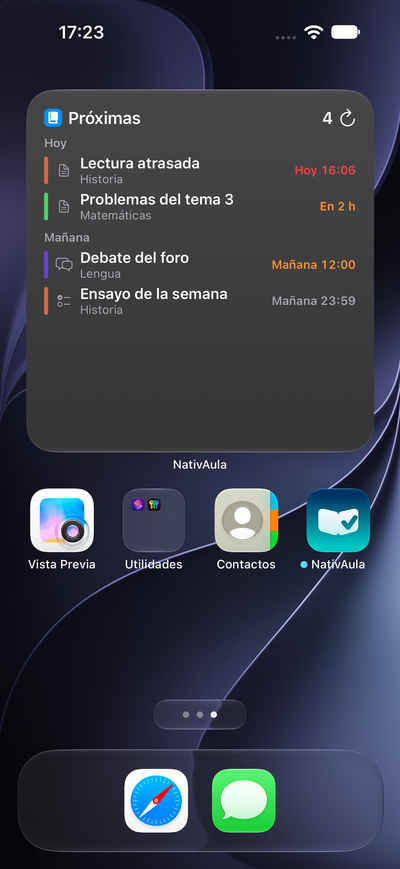
CuestionariosQuizzes
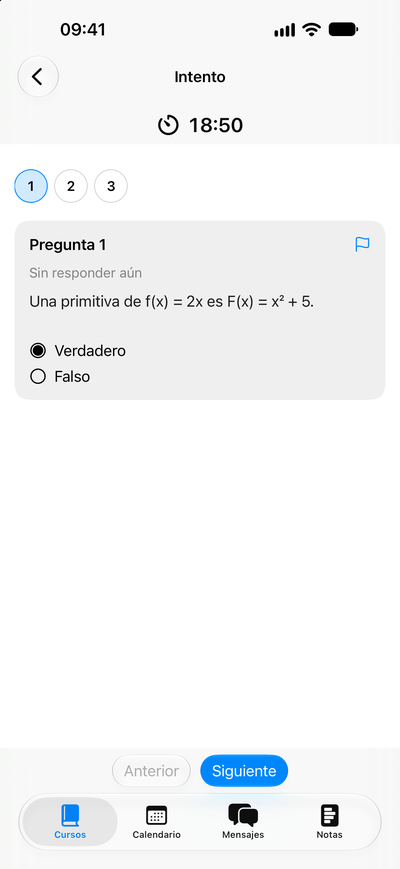
CalendarioCalendar
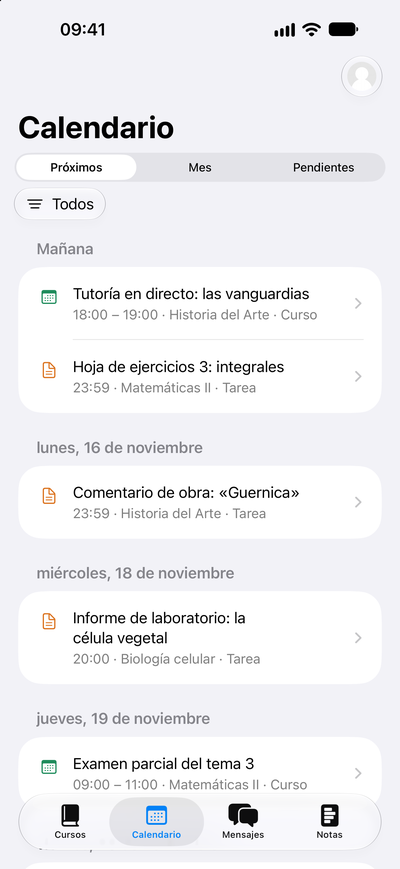
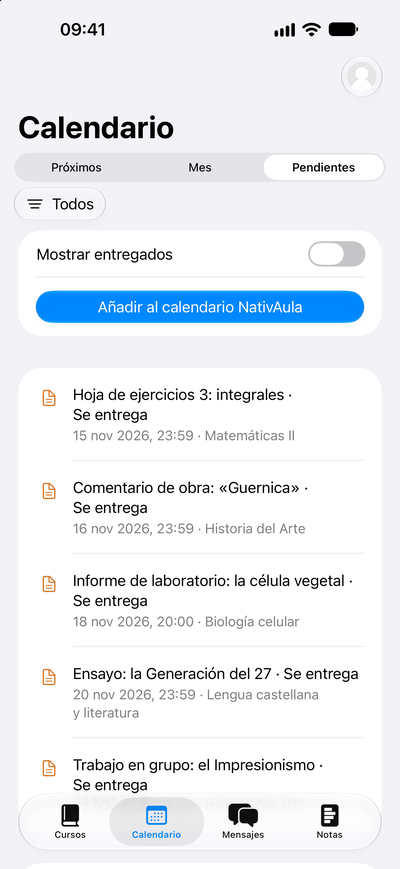
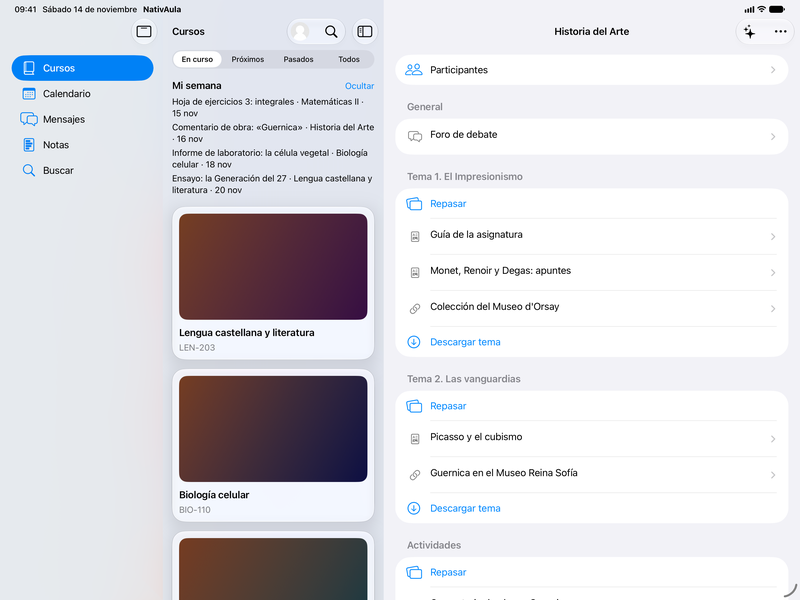
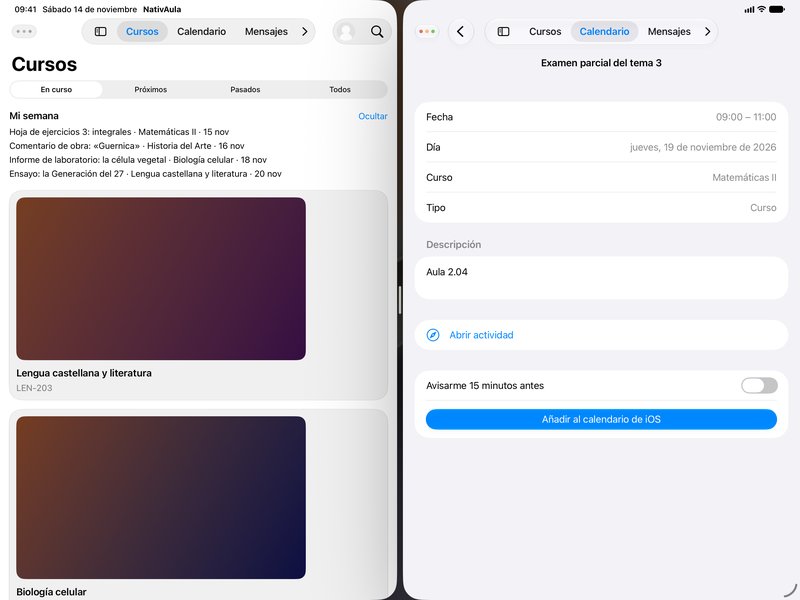
En el iPadOn iPad
Qué puedes hacerWhat you can do
-
Inicio de sesiónSign in
Entras con usuario y contraseña o con el SSO del campus.
Sign in with a username and password or with the campus SSO.
-
Mis cursosMy courses
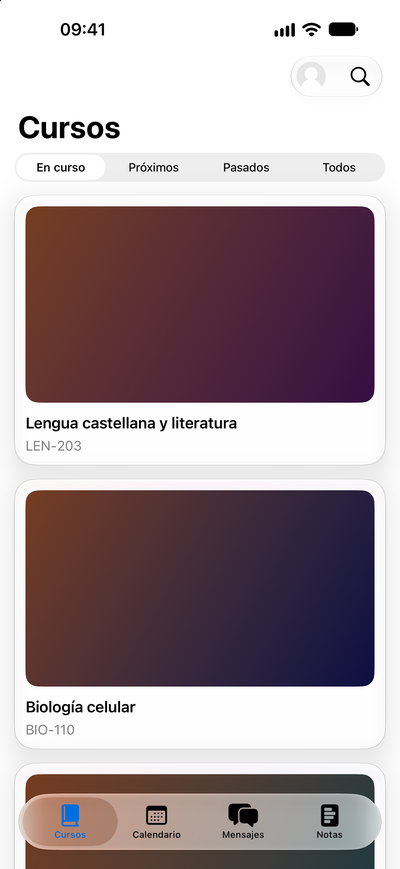
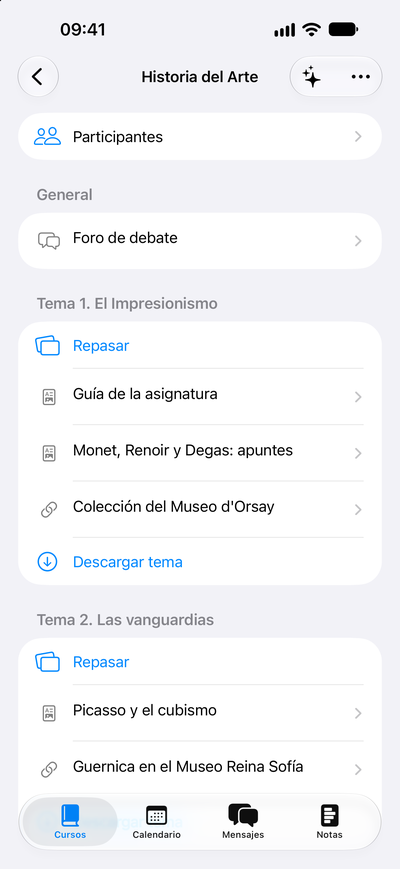
Tus cursos a mano, y el contenido de cada uno.
Your courses at hand, and the content inside each one.
-
Tareas y entregasAssignments
Consultas las tareas y haces las entregas desde la app.
Check assignments and submit your work from the app.
-
ForosForums
Lees y participas en los foros del curso.
Read and take part in the course forums.
-
CalificacionesGrades
Consultas tus notas sin pasar por el navegador.
Check your grades without opening a browser.
-
MensajesMessages
Los mensajes del campus, en la app.
Campus messages, in the app.
-
Calendario y vencimientosCalendar and due dates
Lo que tienes que entregar, y cuándo. Exportar al calendario del iPhone es de NativAula Pro.
What you need to hand in, and when. Exporting to the iPhone calendar is part of NativAula Pro.
-
Modo sin conexiónOffline mode
Puedes seguir trabajando sin red. Descargar un curso entero es de NativAula Pro.
You can keep working without a network. Downloading a whole course is part of NativAula Pro.
-
Widgets interactivos y AtajosInteractive widgets and Shortcuts Pro
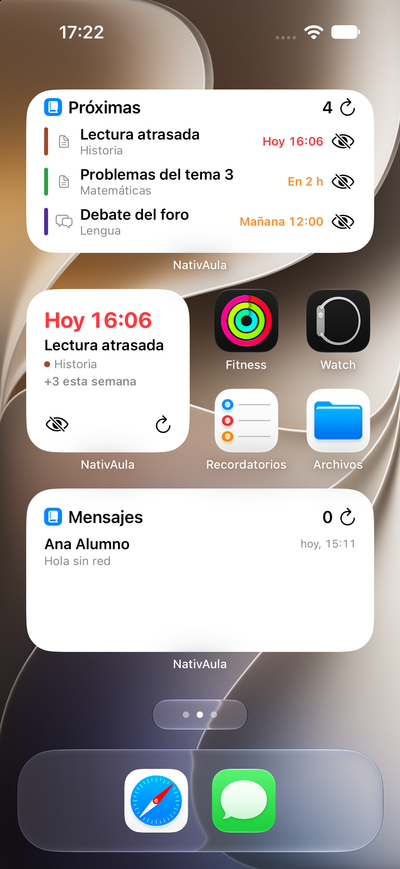
Widgets en la pantalla de inicio, y Atajos y Siri con App Intents.
Home Screen widgets, plus Shortcuts and Siri with App Intents.
-
Varias ventanas en iPadMultiple windows on iPad Pro
Abre más de una ventana de NativAula en el iPad.
Open more than one NativAula window on iPad.
-
Varias cuentasMultiple accounts Pro
Lleva más de una cuenta en el mismo iPhone o iPad.
Keep more than one account on the same iPhone or iPad.
-
Cuestionarios nativosNative quizzes
Los respondes dentro de la app, con temporizador y navegación por preguntas.
You take them in the app, with a timer and navigation between questions.
NotificacionesNotifications
Las notificaciones push en tiempo real solo llegan si tu campus las tiene configuradas para NativAula. En los demás, la app te avisa de vencimientos y novedades cada vez que se sincroniza.
Real-time push notifications only arrive if your campus has them set up for NativAula. On other campuses, the app tells you about due dates and what’s new each time it syncs.
IA privada, en el iPhonePrivate AI, on the iPhone
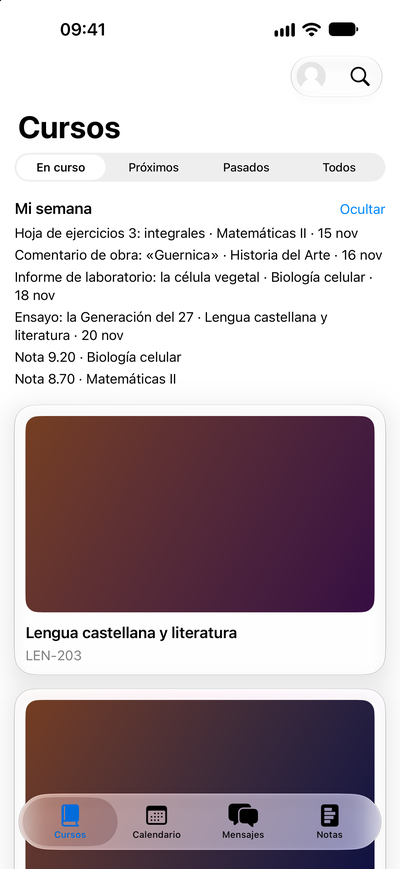
NativAula usa la IA de Apple en el iPhone, de forma privada: resume contenidos, reescribe los enunciados para que se entiendan mejor y prepara «Mi semana» con lo que tienes pendiente.
NativAula uses Apple’s on-iPhone AI, privately: it summarises content, rewrites prompts so they are easier to follow, and puts together “My week” with what you still have to do.
Con NativAula Pro, además, te ayuda a repasar y puedes preguntar sobre el curso. Para las tareas largas usa Private Cloud Compute de Apple.
With NativAula Pro, it also helps you revise and lets you ask questions about the course. For longer tasks it uses Apple’s Private Cloud Compute.
Nunca redacta entregas ni responde cuestionarios. Está para estudiar mejor, no para hacer trampas.
It never writes your submissions or answers quizzes. It is there to help you study better, not to cheat.
Respecto a la app oficialCompared with the official app
NativAula no sustituye a Moodle ni pretende ser oficial. Frente a la app oficial, es nativa de verdad (más rápida y fluida, con el aspecto de iOS), tiene widgets y Siri, IA privada en el dispositivo, un buen modo sin conexión y varias cuentas.
NativAula does not replace Moodle and does not claim to be official. Compared with the official app, it is native for real (faster and smoother, with the look of iOS), it has widgets and Siri, private on-device AI, a solid offline mode, and multiple accounts.
PrecioPrice
NativAula es gratis y completa, sin anuncios. NativAula Pro es opcional y se puede compartir con En Familia.
NativAula is free and complete, with no ads. NativAula Pro is optional and can be shared with Family Sharing.
GratisFree
0 € · sin anuncios
€0 · no ads
- Cursos, contenido, tareas, foros, calificaciones y mensajes
- Calendario y vencimientos
- Modo sin conexión
- IA en el iPhone: resúmenes, enunciados más claros y «Mi semana»
- Courses, content, assignments, forums, grades and messages
- Calendar and due dates
- Offline mode
- On-iPhone AI: summaries, clearer prompts and “My week”
NativAula Pro
2,99 €/mes, 19,99 €/año con una semana gratis, o 39,99 € de por vida
€2.99/month, €19.99/year with one week free, or €39.99 lifetime
- Varias cuentas
- Descargar un curso entero
- Exportar al calendario
- Widgets interactivos y Atajos
- Varias ventanas en el iPad
- Ayuda para repasar y preguntas sobre el curso
- Se puede compartir con En Familia
- Multiple accounts
- Download a whole course
- Export to the calendar
- Interactive widgets and Shortcuts
- Multiple windows on iPad
- Help revising, and questions about the course
- Can be shared with Family Sharing
EstadoStatus
Todavía no está en la App Store. Hay una lista de espera para entrar en la beta de TestFlight. Requiere iOS 27.
It isn’t on the App Store yet. There is a waitlist to join the TestFlight beta. It requires iOS 27.